DevPlatform
DevPlatform is inDrive's internal developer platform, and DevBot is the AI assistant built into every screen of it. Engineers ask DevBot for documentation or for an action such as a rollout, and they approve what it does.
I was the only designer on the team at inDrive, where I worked from May 2023 to March 2026. Until 2025 I did design only. From 2025 I worked as a product designer and builder, wrote production frontend code in Flutter and helped with the backend.
The platform is an internal web tool for more than 600 engineers. Namespaces, rollouts, documentation, restrictions, templates, backups and canary releases sit in one workspace. There an engineer manages service rollouts, customises roles and assigns them. It started as a regular interface. Then the team added DevBot, and I designed how it works on every screen.
Results
58%
of 610 engineers used DevBot in a month
64%
less time to set up a rollout, 11 minutes in forms against 4 in Chat mode
55%
less time to find the change behind an incident, 31 minutes down to 14
38%
less time from merge to production, 190 minutes down to 118
32%
fewer incidents caused by changes, 41 a quarter down to 28
42%
less time to production for a platform feature, 9.5 weeks down to 5.5
Rollout time and incident numbers are results of the whole platform team. My part was the research, the interaction design, the design system and frontend code.
My role
Product designer
- The only designer, responsible for the design end to end
- 96 user interviews across 14 features
- Interaction design for every screen and for DevBot
- 14 prototypes and 70 usability testing sessions
- A design system with 64 reusable components
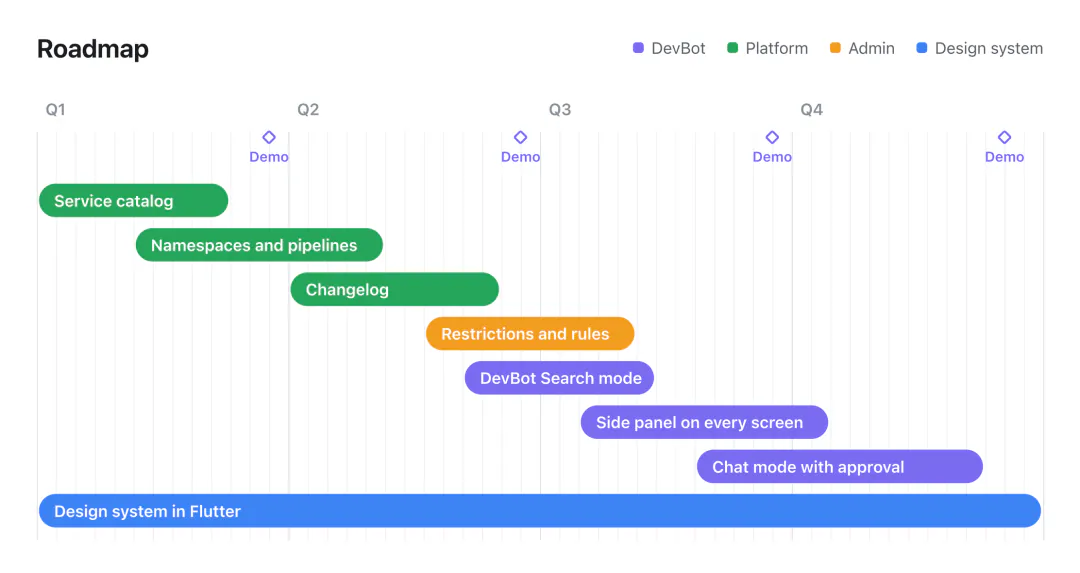
- Product roadmap, prioritisation and demos for the CTO and CPO
Builder
- Production frontend code in Flutter since 2025
- 127 merged pull requests
- Design system components implemented in Flutter with the developers
- 3 A/B tests run with the team
- Help with the backend
Research with engineers
One workflow had to serve completely different roles. I interviewed developers, managers, analysts, QA engineers and other roles, and ran 5 to 10 qualitative user interviews for every feature. Over the project that came to 96 interviews across 14 features.
I built 14 prototypes and tested them in 70 usability testing sessions with engineers.
Through the interviews I learned how engineering works in a large company. CI/CD pipelines, quality gates, service tiers, on-call duty and change freezes were new to me, and I studied each of them to design its screens.
DevBot on every screen
DevBot is a conversational interface to the whole platform. It has its own tab, and we checked whether the tab alone was enough. In an A/B test split by team for 4 weeks, one group had only the tab and the other also had a side panel on every screen. Weekly use was 22% in the first group and 36% in the second.
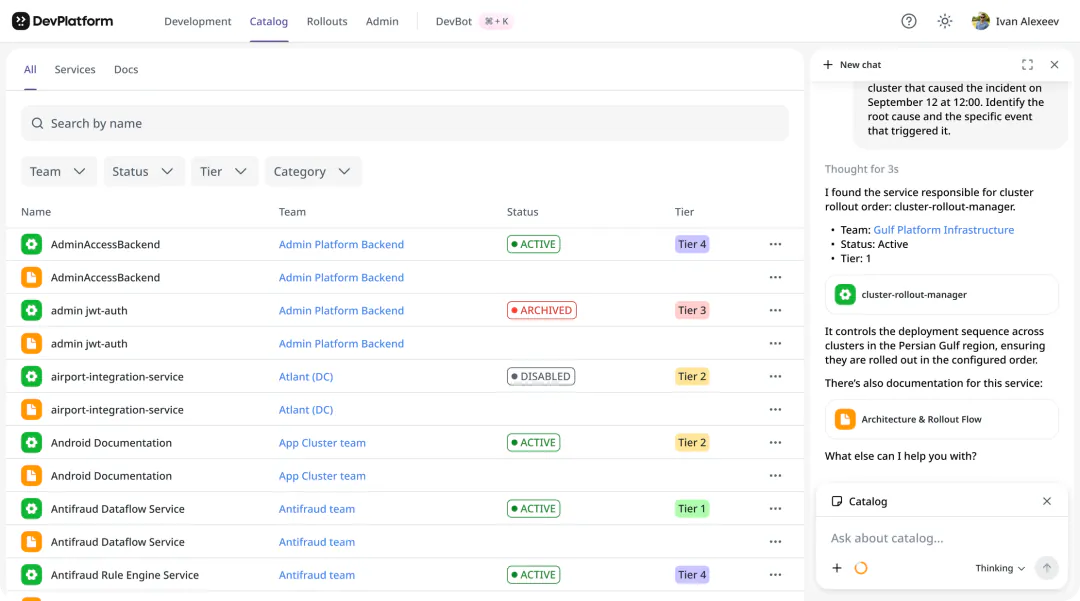
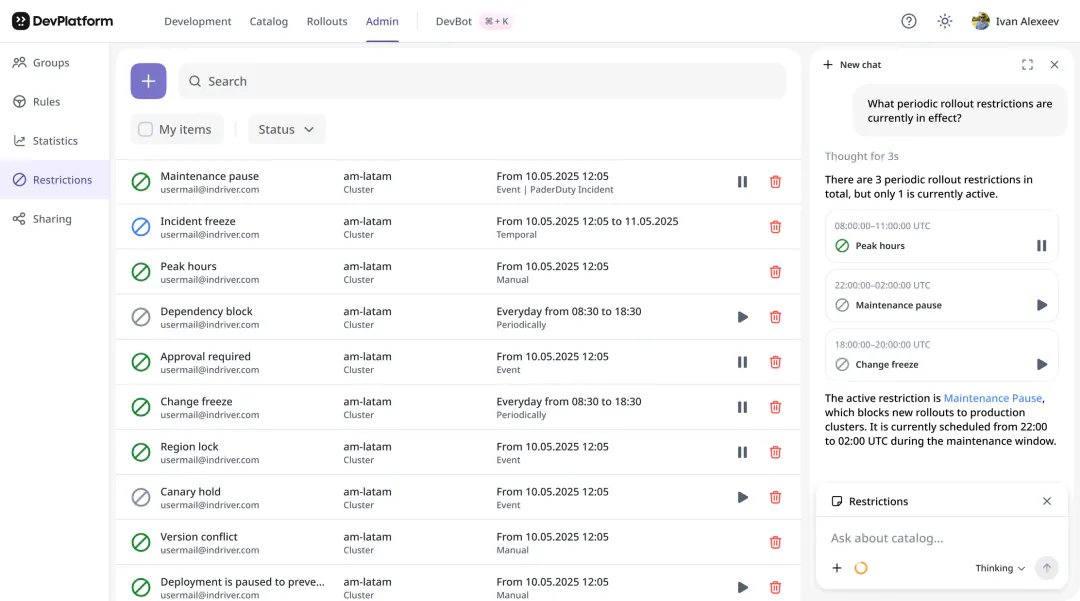
DevBot opens with Cmd+K, and the side panel takes the current screen as context. A chip above the input field names that context, which can be the catalog, the changelog or one namespace. Answers keep the controls of the objects they show, so an engineer pauses a restriction right in the chat.
Five months after the panel shipped, 354 of 610 engineers used DevBot in a month and 251 in a week. Of all DevBot sessions, 71% started from the panel.
Search mode with sources
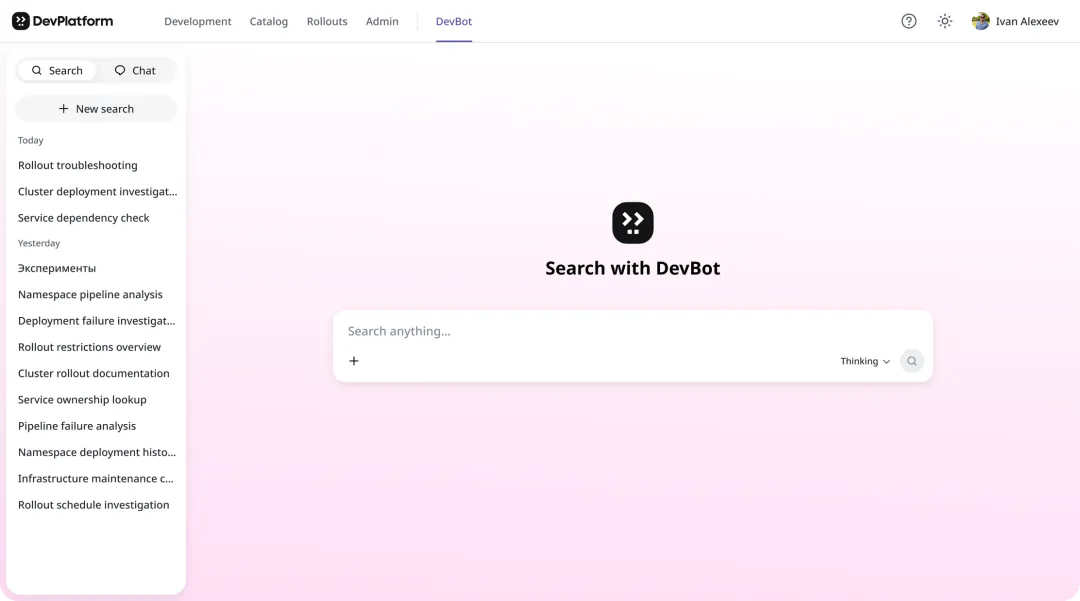
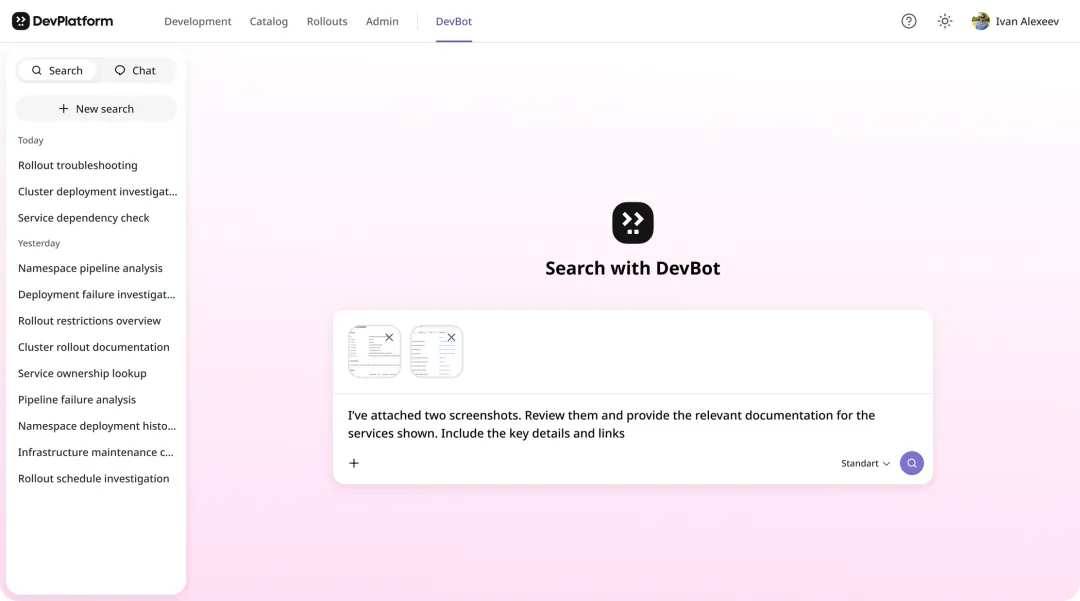
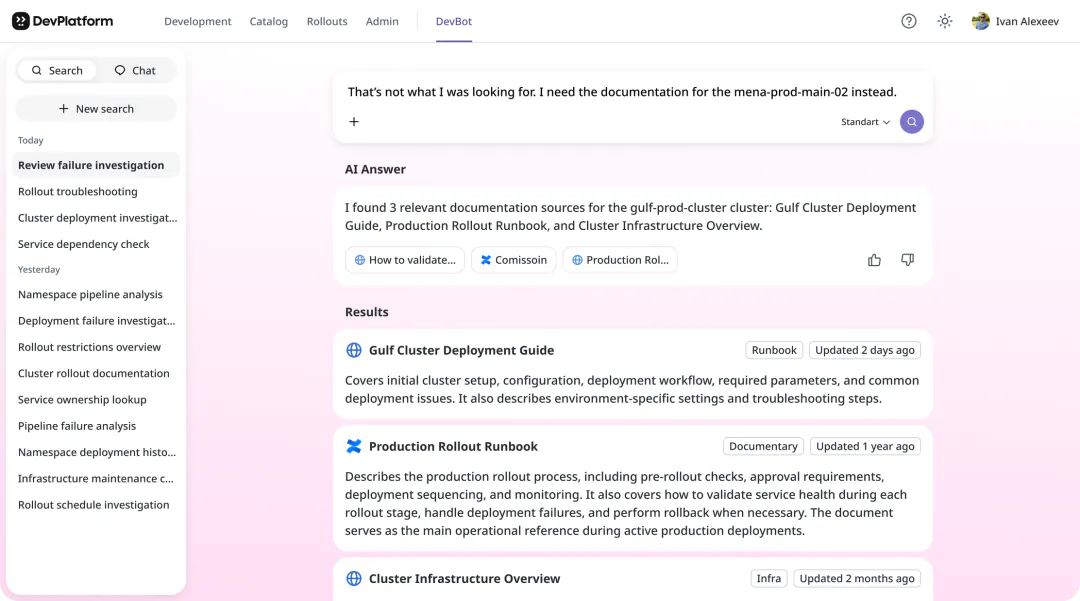
DevBot has two modes. Search mode finds documentation and information about the platform. An engineer types a question or attaches screenshots, and DevBot returns a short answer with links to its sources. A list of documents follows, each with its type and last update date.
We tested the answer above the list against the list alone in an A/B test, and the share of repeated queries fell from 34% to 19%. Search mode made up 68% of about 1,800 requests a week.
Chat mode with human approval
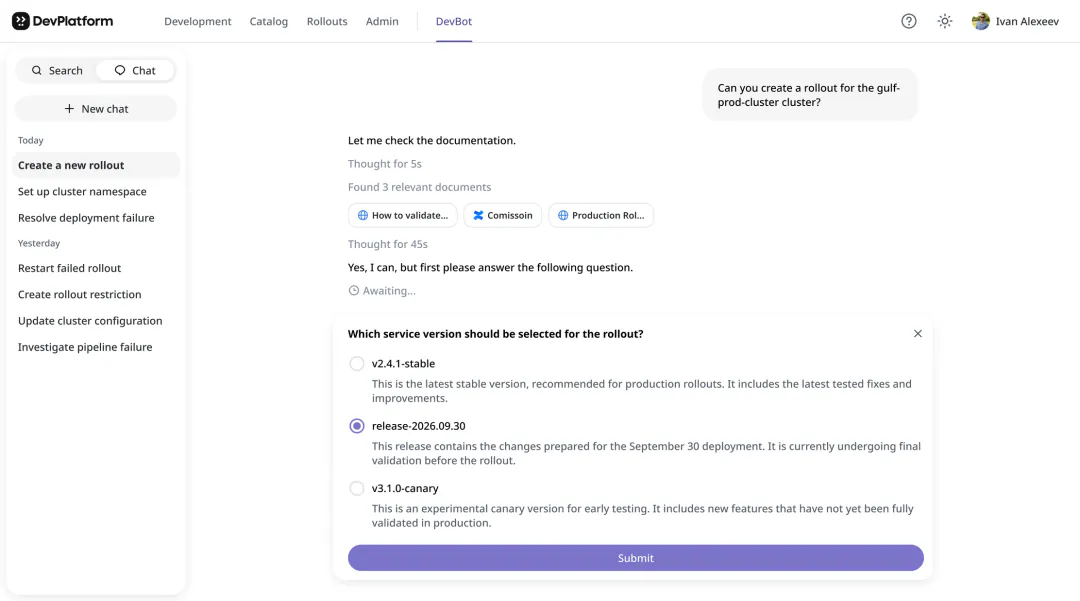
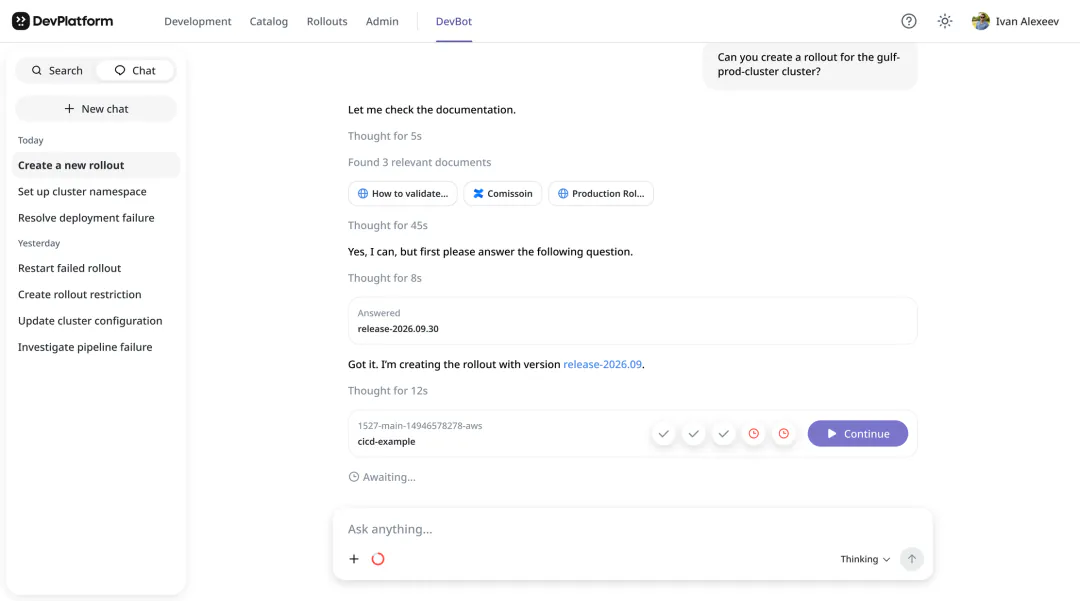
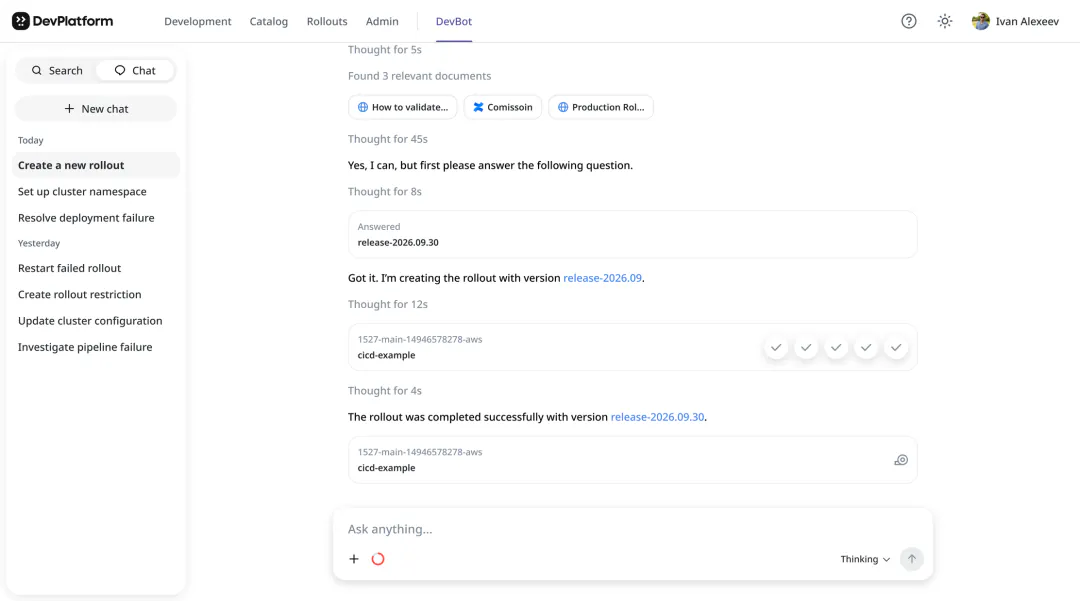
In Chat mode DevBot performs actions for the engineer. It is an agentic workflow with a human in the loop. The engineer describes the task, and DevBot reads the documentation, asks clarifying questions and runs the rollout. The engineer reviews the steps and approves them.
I designed the clarifying question as a form with options. In an A/B test engineers completed 83% of action flows with the form and 64% with free text.
The approval step is a trade-off between control and speed, so I tested 3 variants in a prototype with 9 engineers. Each engineer ran 4 flows per variant.
With approval at every step they abandoned 11 of 36 flows, and 7 of the 9 rejected the variant with one approval at the start. I shipped the variant with one Continue button before the final steps.
What DevBot changed
I measured documentation search and rollout setup in a moderated test with 12 engineers. The incident figure is a median on a sample of 37 incidents, and the support figure compares 8 weeks before and after the panel shipped.
Before
- 4 minutes 20 seconds to find a runbook by hand
- 11 minutes to set up a rollout in forms
- 31 minutes to find the change behind an incident
- 212 questions a week in the platform support channel
After
- 1 minute 35 seconds to find a runbook in Search mode
- 4 minutes to set up a rollout in Chat mode
- 14 minutes to find the change with DevBot in the changelog
- 139 questions a week, 34% fewer
Chat mode created 12% of rollouts five months after the panel shipped. Most engineers still set up rollouts in forms, so the forms stayed next to the chat.
The platform around DevBot
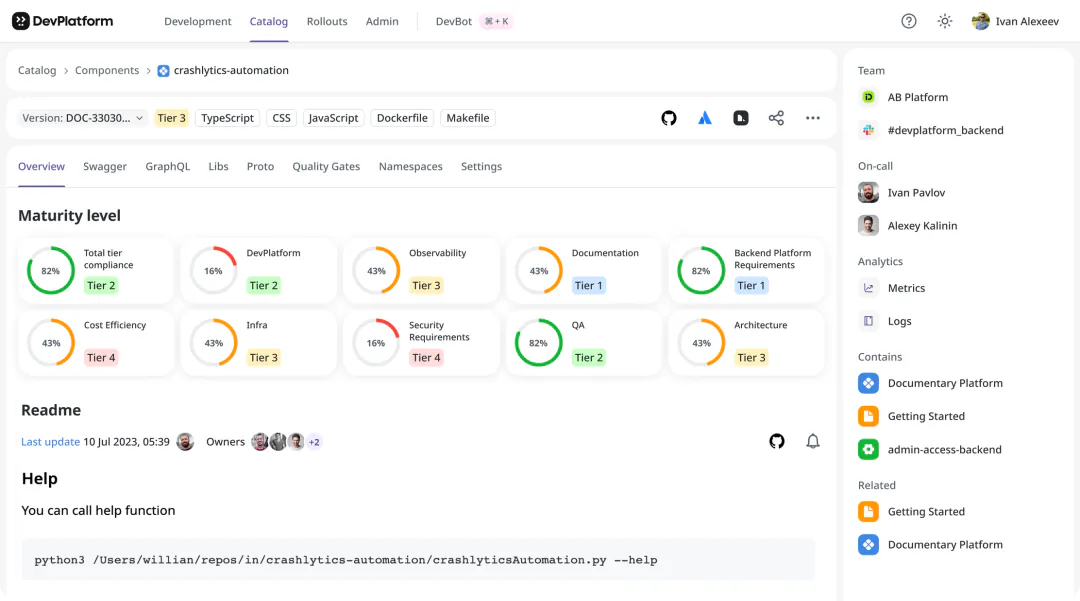
The idea behind the developer experience is one place for the whole delivery workflow. A service page shows the tier, maturity scorecards for nine areas including observability and security, the on-call engineers, metrics and logs.
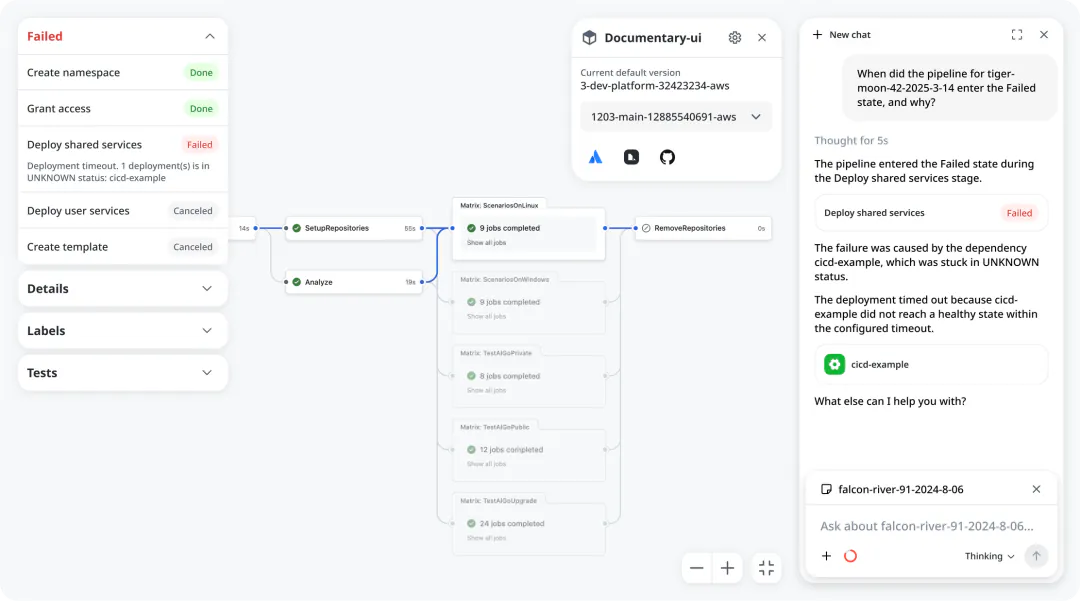
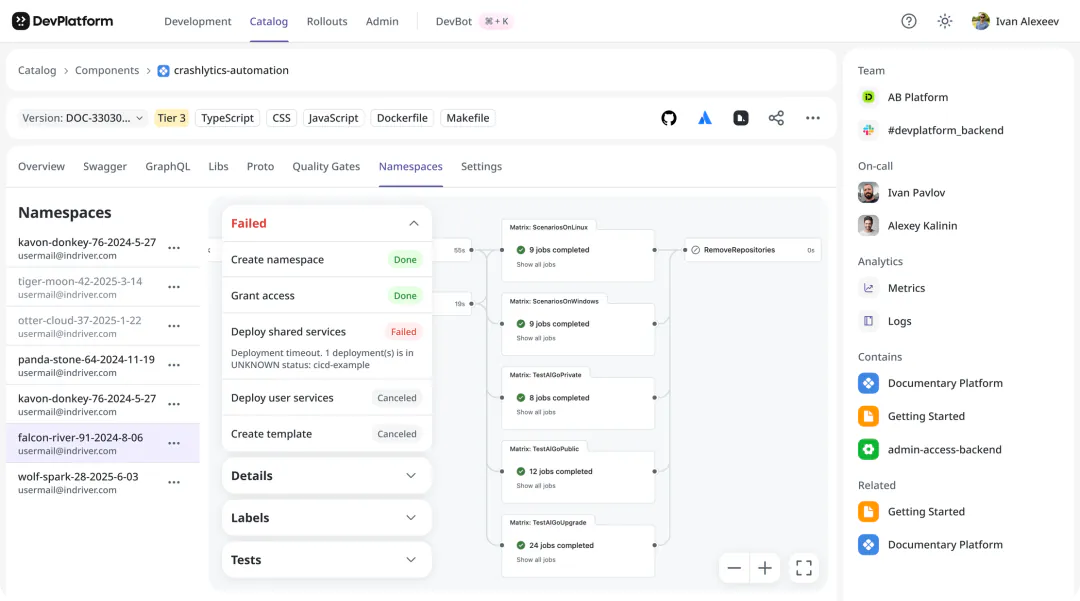
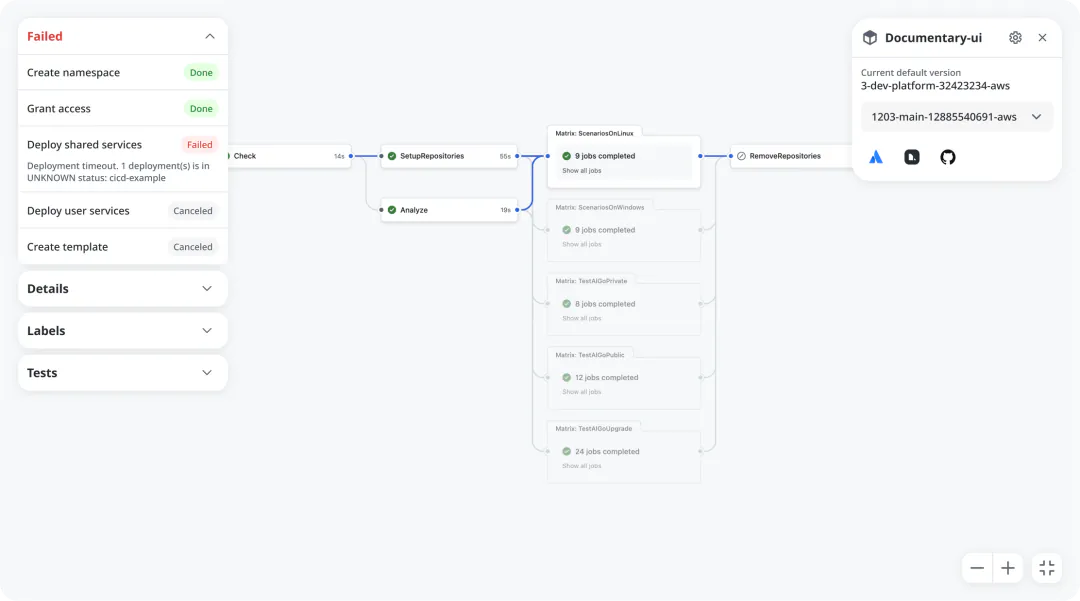
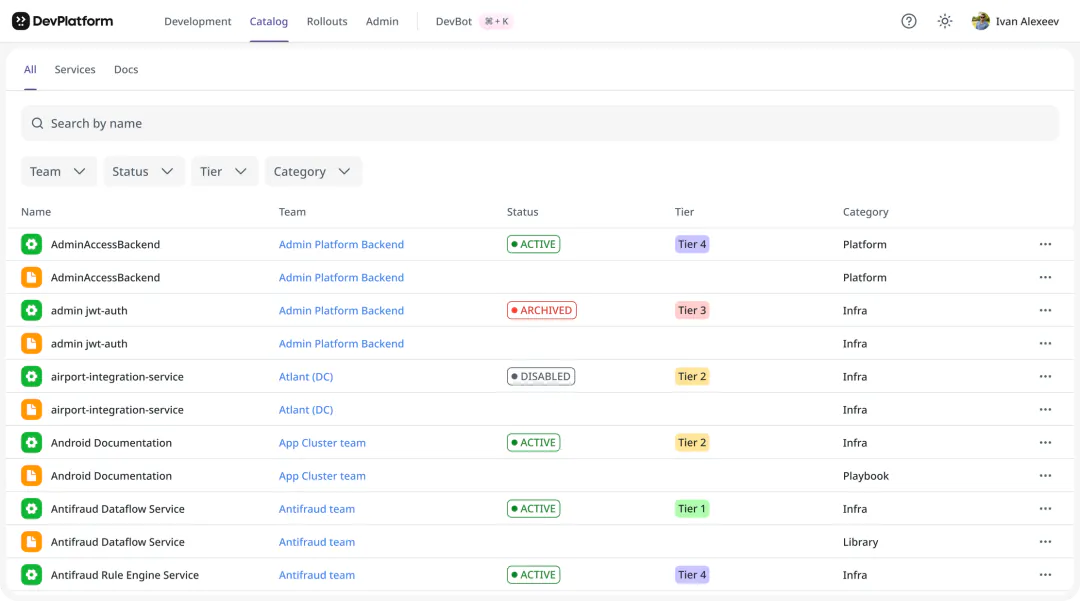
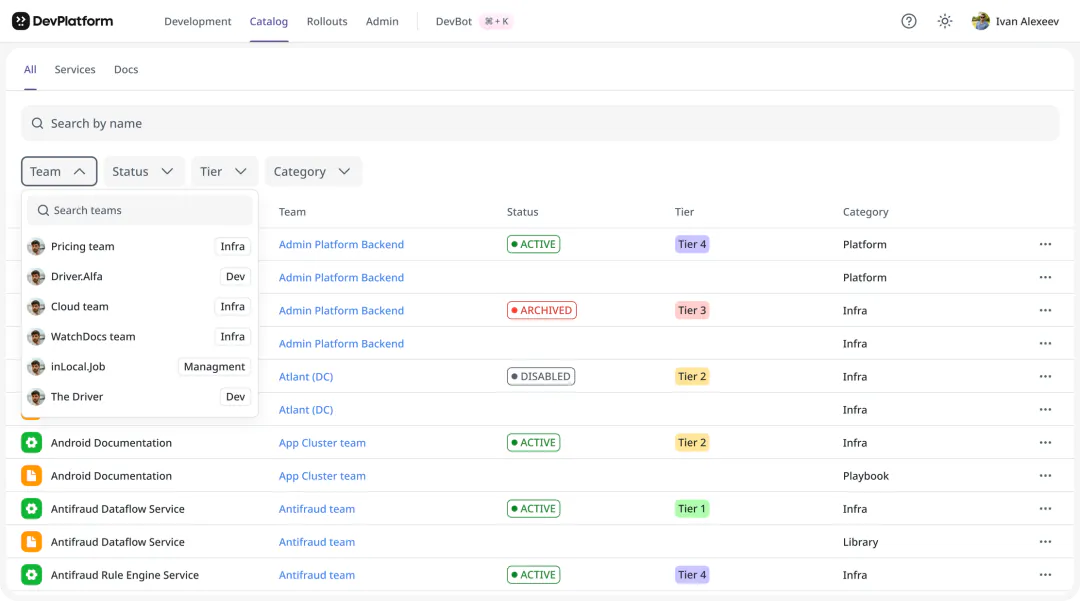
The Namespaces tab shows each step of namespace creation, the reason a step failed and the CI/CD pipeline as a graph that opens in full screen. The service catalog lists services and documentation in one table with the owning team, status, tier and category.
Changelog and incident investigation
The changelog collects alerts, incidents, rollouts, changes and SLA events from several systems in one feed with a heatmap timeline. Engineers study an incident there, read what changed and decide how to fix the problem. In the side panel an engineer asks which event caused the incident, and DevBot returns that event and explains how it led to the incident.
Restrictions and rules
Admins control rollouts with restrictions and rules. A restriction blocks rollouts for a cluster or a service on a schedule, by hand or on an event such as a PagerDuty incident. A rule is a quality gate, and one of them is a deny rule for services with open Dependabot alerts.
What the platform changed
Rollout time and the number of incidents both went down thanks to the platform.
Before
- 190 minutes from merge to production in Q1 2024, by pipeline timestamps
- 41 incidents caused by changes a quarter in the first half of 2024
After
- 118 minutes from merge to production in Q4 2025
- 28 incidents a quarter in the second half of 2025, according to PagerDuty
- Restrictions and quality gates stop a risky rollout before it starts
- One workspace for the catalog, namespaces, rollouts, the changelog, restrictions and rules
Design system, delivery and roadmap
I created the platform's design system. It has 64 reusable components, implemented in Flutter, and DevBot answers are built from the same components as the pages. A service or a restriction in the chat is a compact version of what the engineer sees on its page.
I also changed how design and development work together. We tested prototypes before development and ran A/B tests on live features, and from 2025 I wrote frontend code myself.
Before
- 9.5 weeks from design start to release
- No design system
- 5 days to build a new screen
After
- 5.5 weeks from design start to release
- 64 reusable components in the design system
- 2 days to build a new screen
- Prototype tests before development
I helped plan the product roadmap and prioritise tasks. I also presented the product to the CTO and CPO at demos and review meetings.